Document Scanning with AI
Automated invoice registration powered by artificial intelligence.
Maximum accuracy, instant processing, and complete elimination of manual data entry.
AI-powered purchasing
For invoices, scans & supplier files
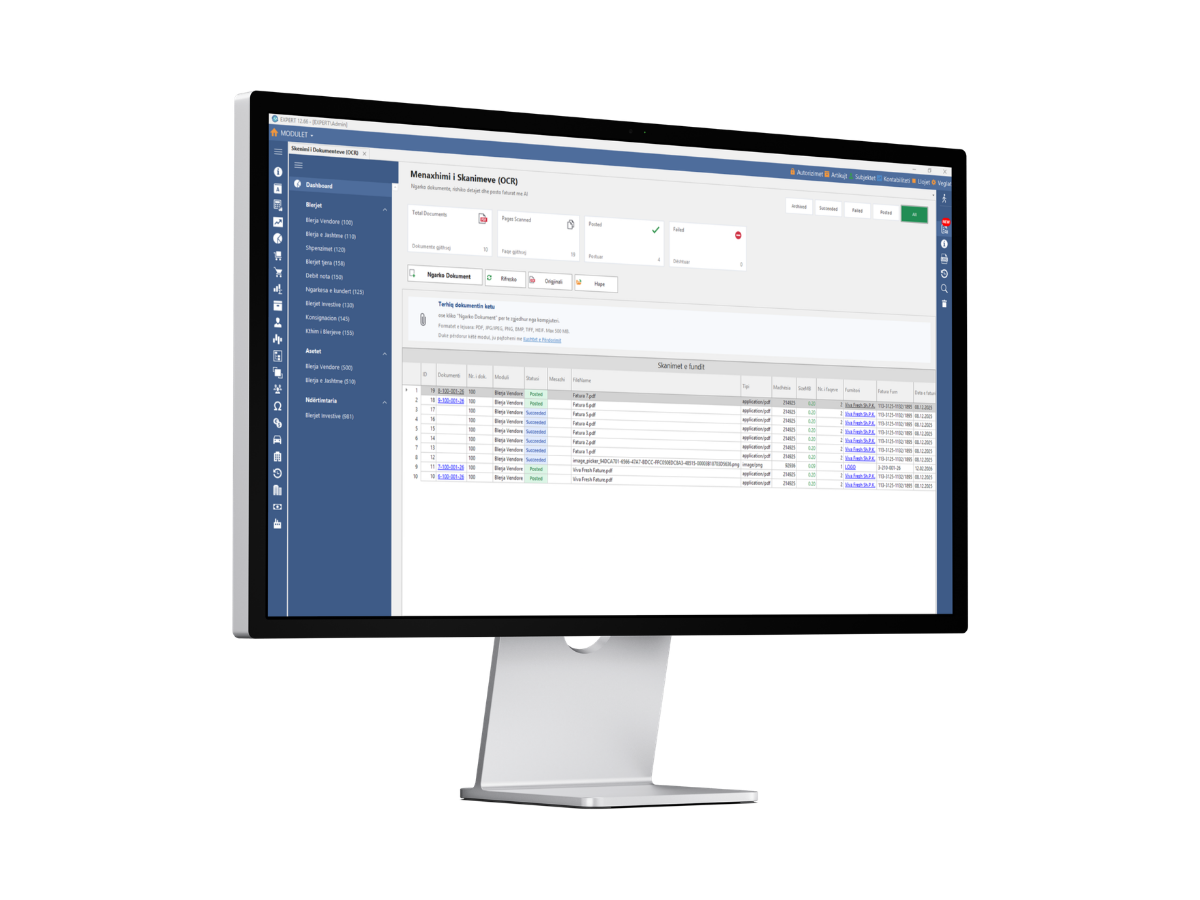
Desktop review
One screen for review and posting
Key Features
Everything you need to automate your purchasing workflow.
For invoices, scans & supplier files
From Phone or Desktop
Snap a photo or pick a file from your phone or computer. Supports PDF, PNG, JPG, JPEG and more.
Upload Documents
Upload invoices, scans, and supplier documents directly into the system.
Smart Categorization
Automatic categorization by purchasing module before posting.
Smart Recognition
AI extracts fields for review, ensuring accuracy.
Secure Access
Original files remain available at any time for audit and review.
Desktop review
One screen for review and posting
Review AI Processed
Save after confirmation
Supported File Formats
Upload documents in any common format. The AI handles them all.
PDF documents and scanned files
PNG · JPG · JPEG
Photos and images from any camera
How It Works
From upload to posted purchase entry - in four simple steps.
Open OCR Module
Upload Documents
Review Data
Save & Post
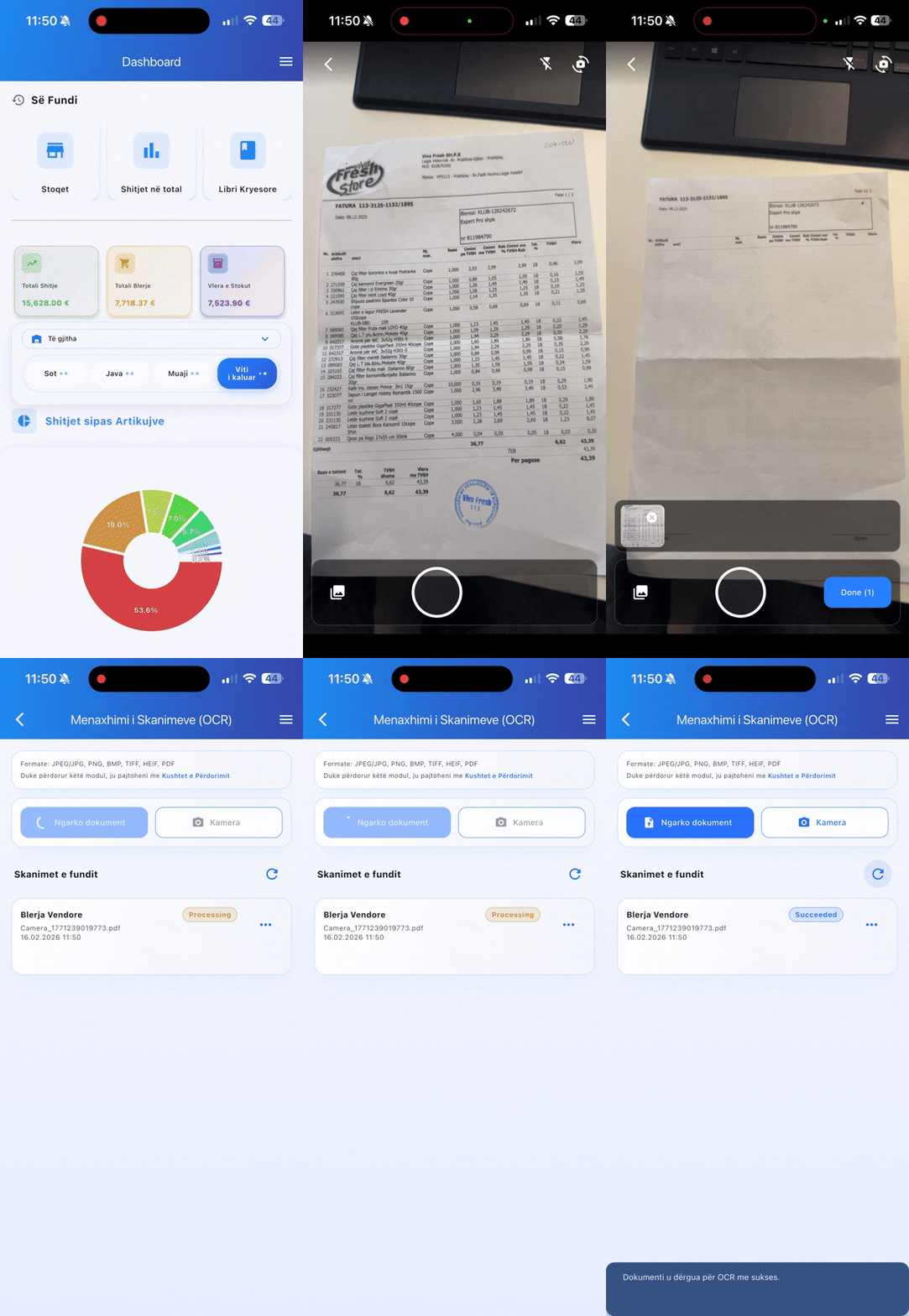
Capture Invoices From Your Phone
No scanner needed. Open the app on your phone, take a photo of any invoice or receipt, and the AI will extract all the data automatically. Works with any camera quality.
Open Pro Reports on Phone
Access the OCR module directly from the Pro Reports app on your phone.
Snap a Photo
Take a photo of any invoice, receipt, or supplier document with your phone camera.
AI Reads Everything
The system extracts supplier name, amounts, dates, line items and more in seconds.